
Ever wondered how rescue teams find people lost in the...
 Geography13 visualizaciones·Actualizado Jun 6, 2026·5 páginas
Using Grid References on OS Maps of Ireland
1 / 5
1
of 5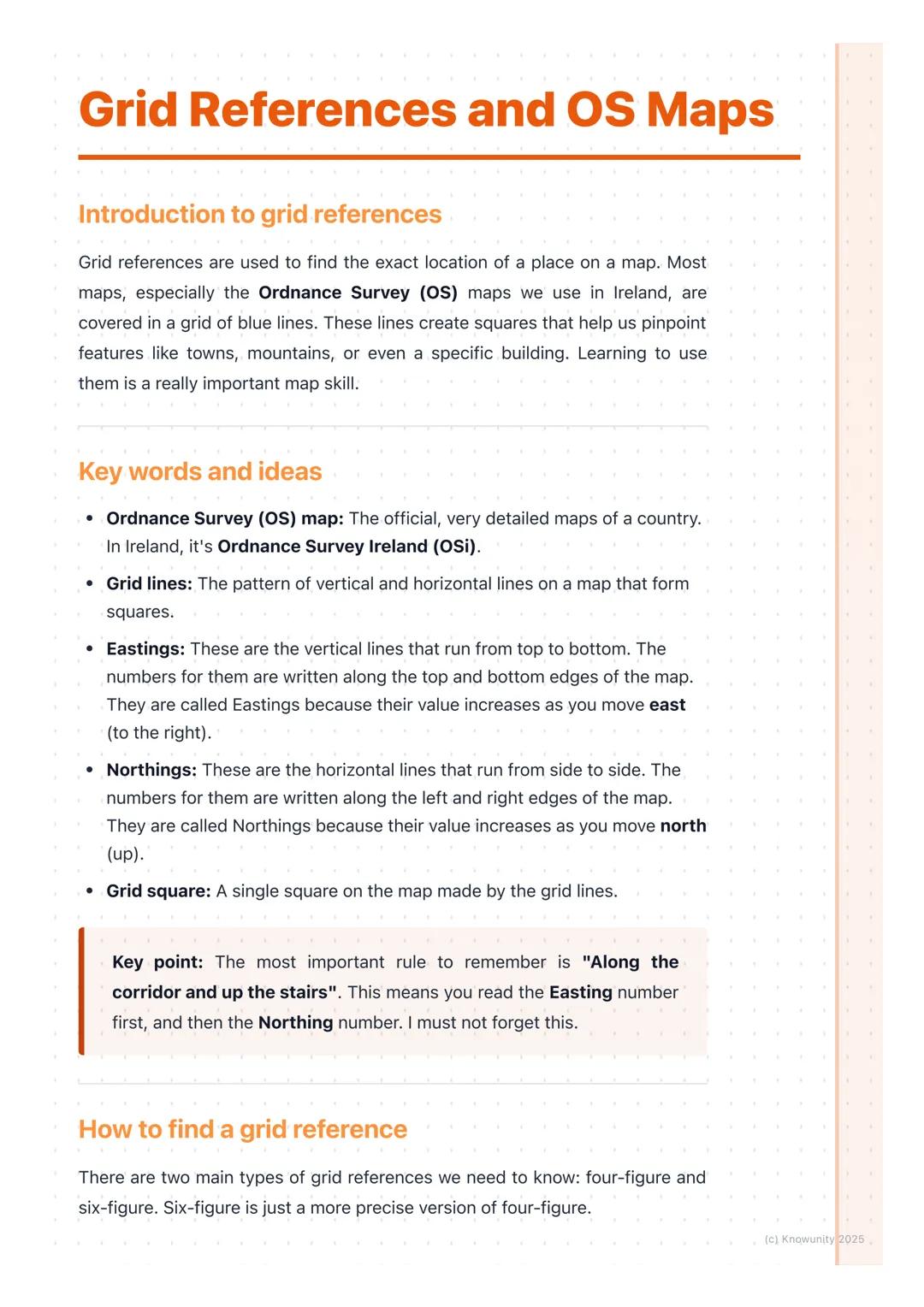
Understanding Grid References and OS Maps
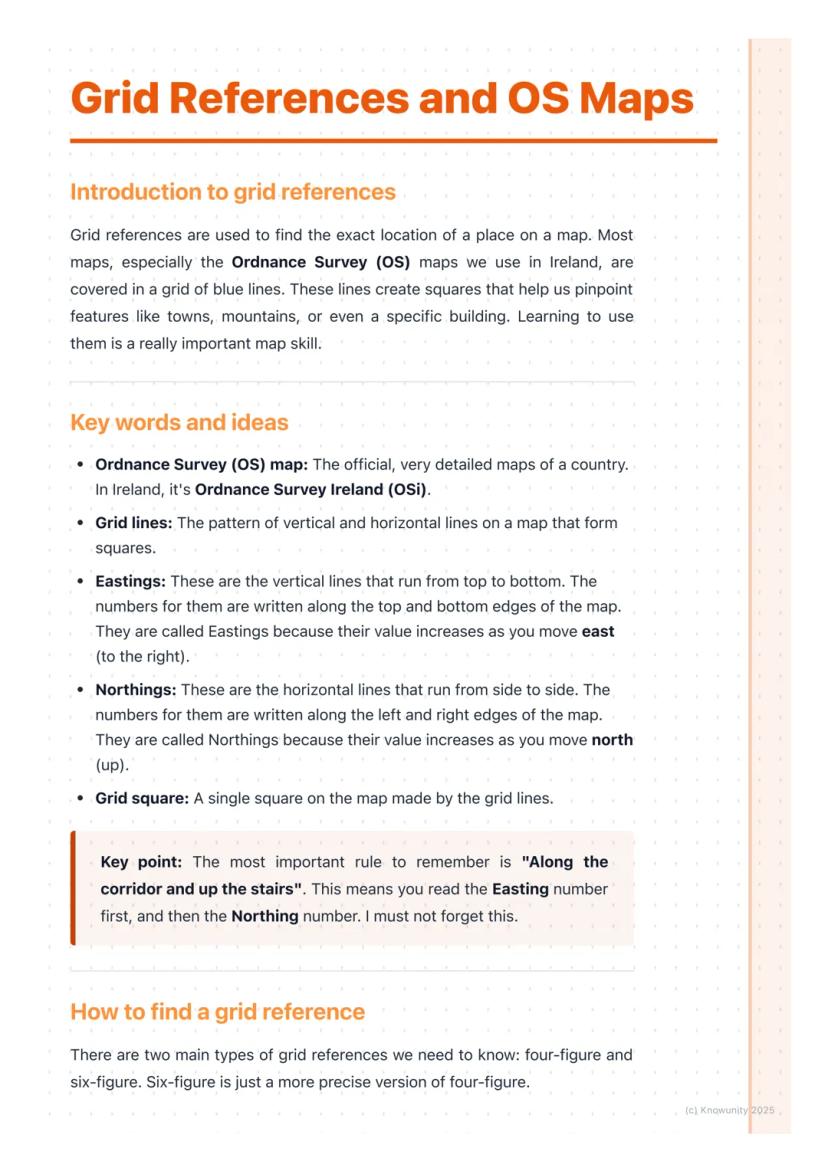
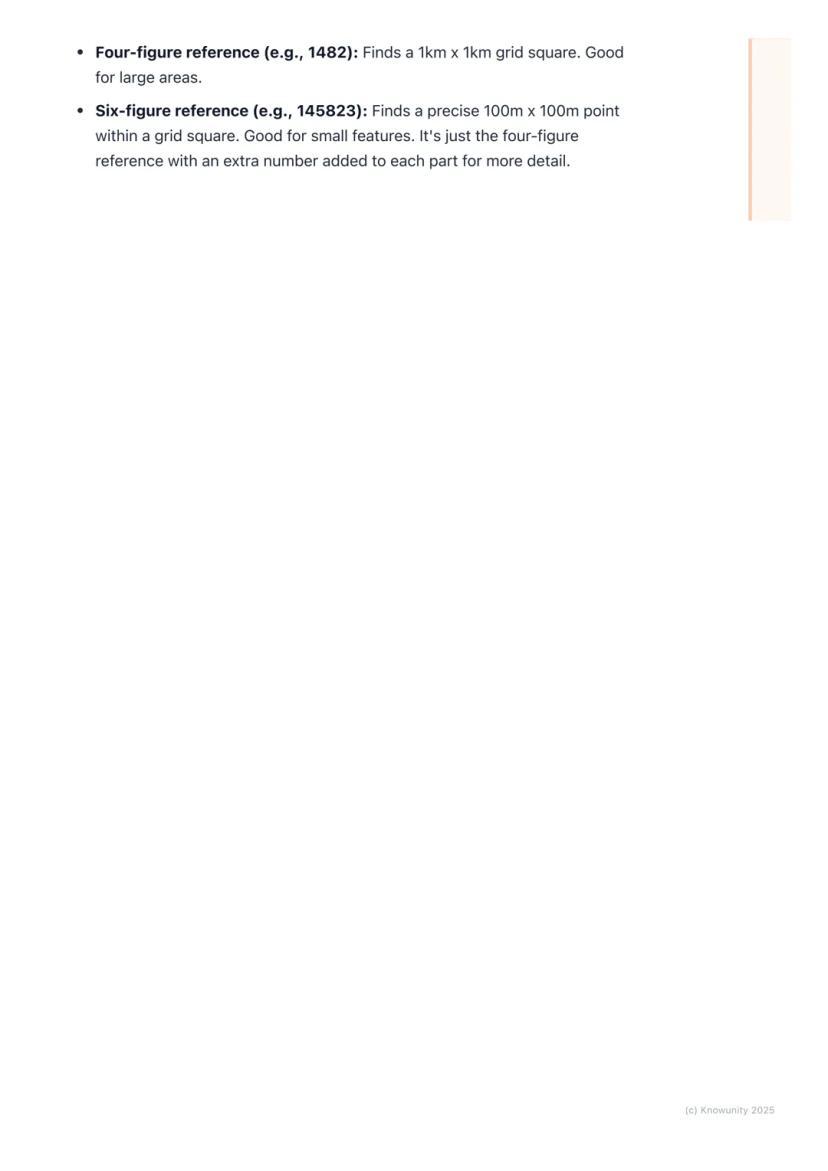
Think of a map as a giant game of battleships - those blue grid lines create squares that help you pinpoint any location with military precision. Ordnance Survey (OS) maps are Ireland's official detailed maps, covered in these helpful grid patterns.
The system uses two types of lines: eastings and northings . These create grid squares that act like postal codes for every spot on the map.
Here's the golden rule that'll save your skin in exams: "Along the corridor and up the stairs". Always read the easting number first, then the northing number. Get this backwards and your entire answer crashes and burns.
Top Tip: Easting numbers appear on the top and bottom edges of your map, whilst northing numbers run along the left and right sides.
2
of 5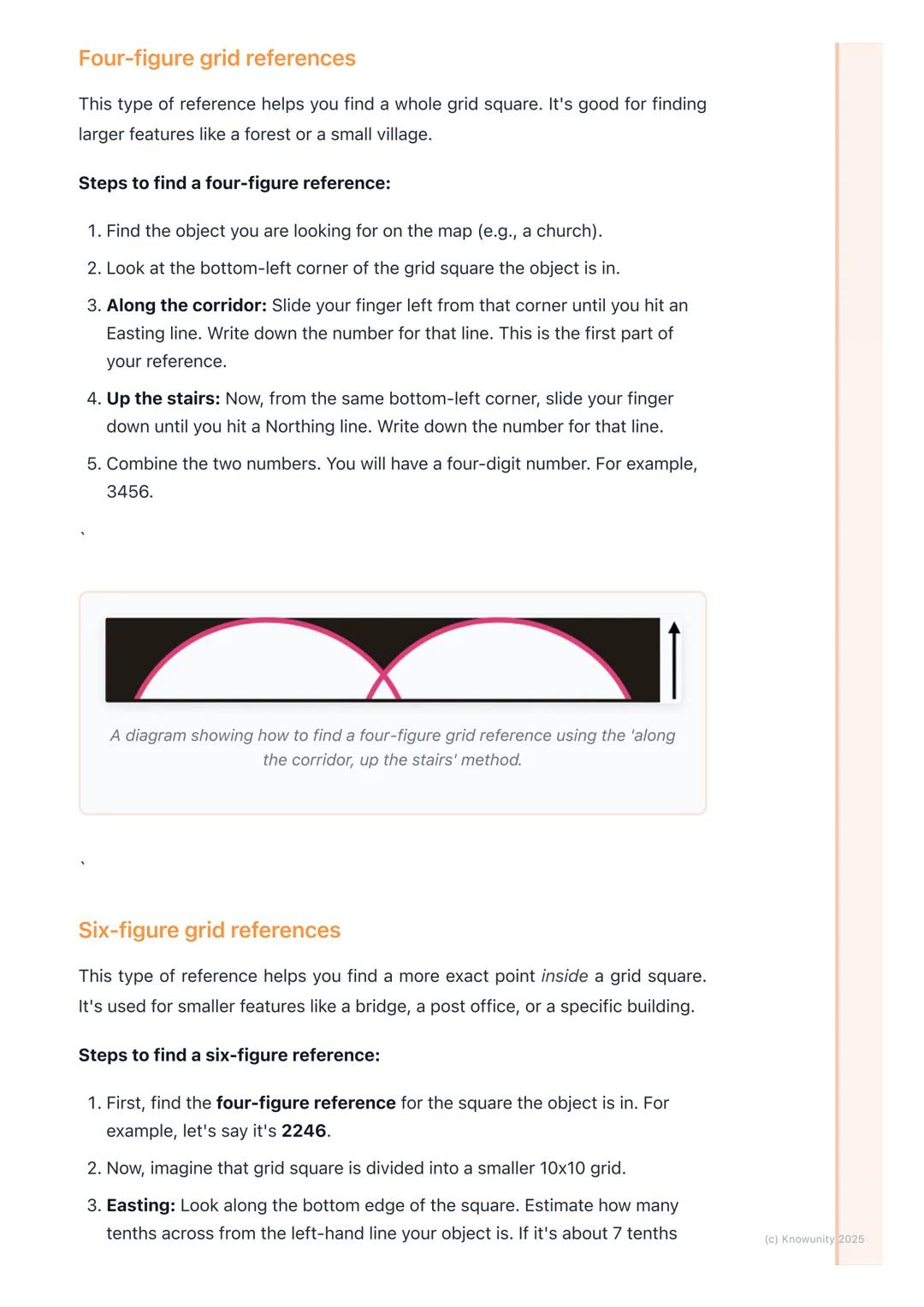
Four-Figure Grid References
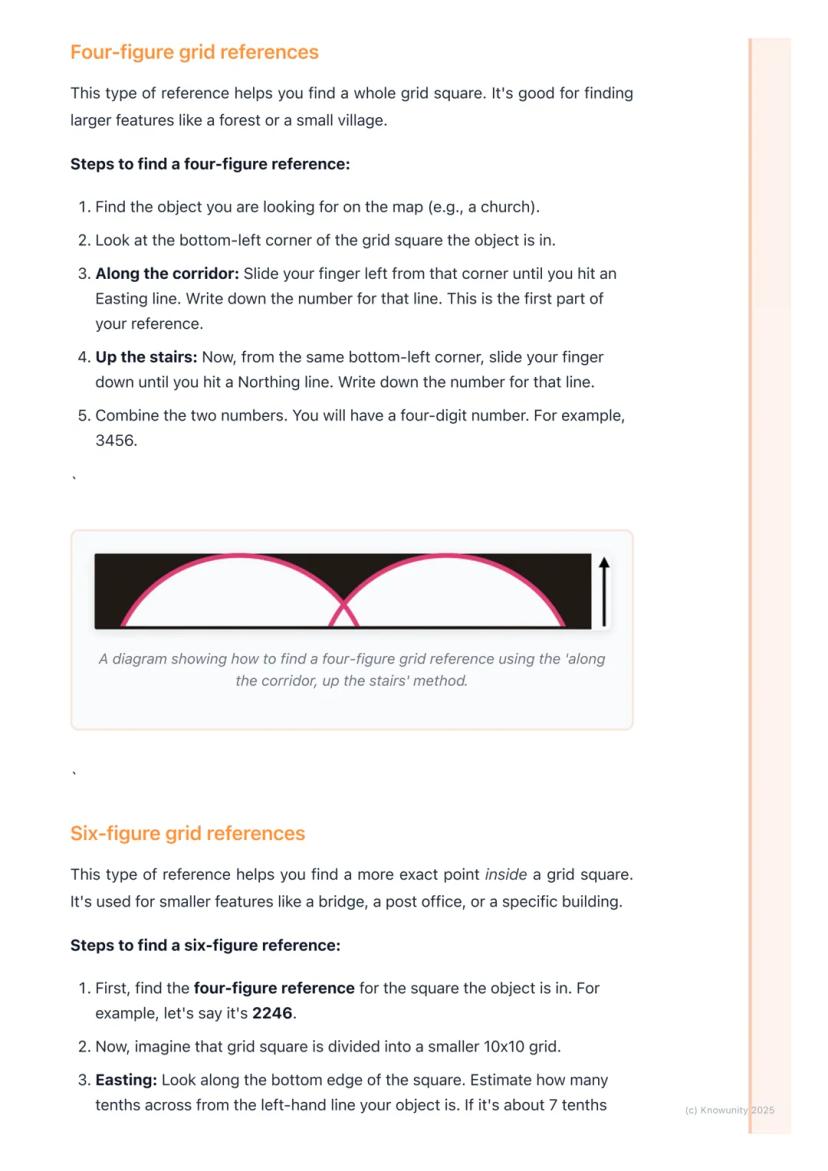
Four-figure references help you locate entire grid squares - perfect for finding larger features like forests, villages, or campsites. Think of it as giving someone directions to your neighbourhood rather than your exact house.
The process is dead simple. Find your target object, then locate the bottom-left corner of its grid square (this bit trips up loads of students who mistakenly use other corners). Slide your finger left to hit an easting line and note that number.
From the same bottom-left corner, slide your finger down to hit a northing line. Combine these two numbers and boom - you've got your four-figure reference like 3456.
Remember: You're identifying the whole square, not a specific point within it. The reference always comes from that crucial bottom-left corner.
3
of 5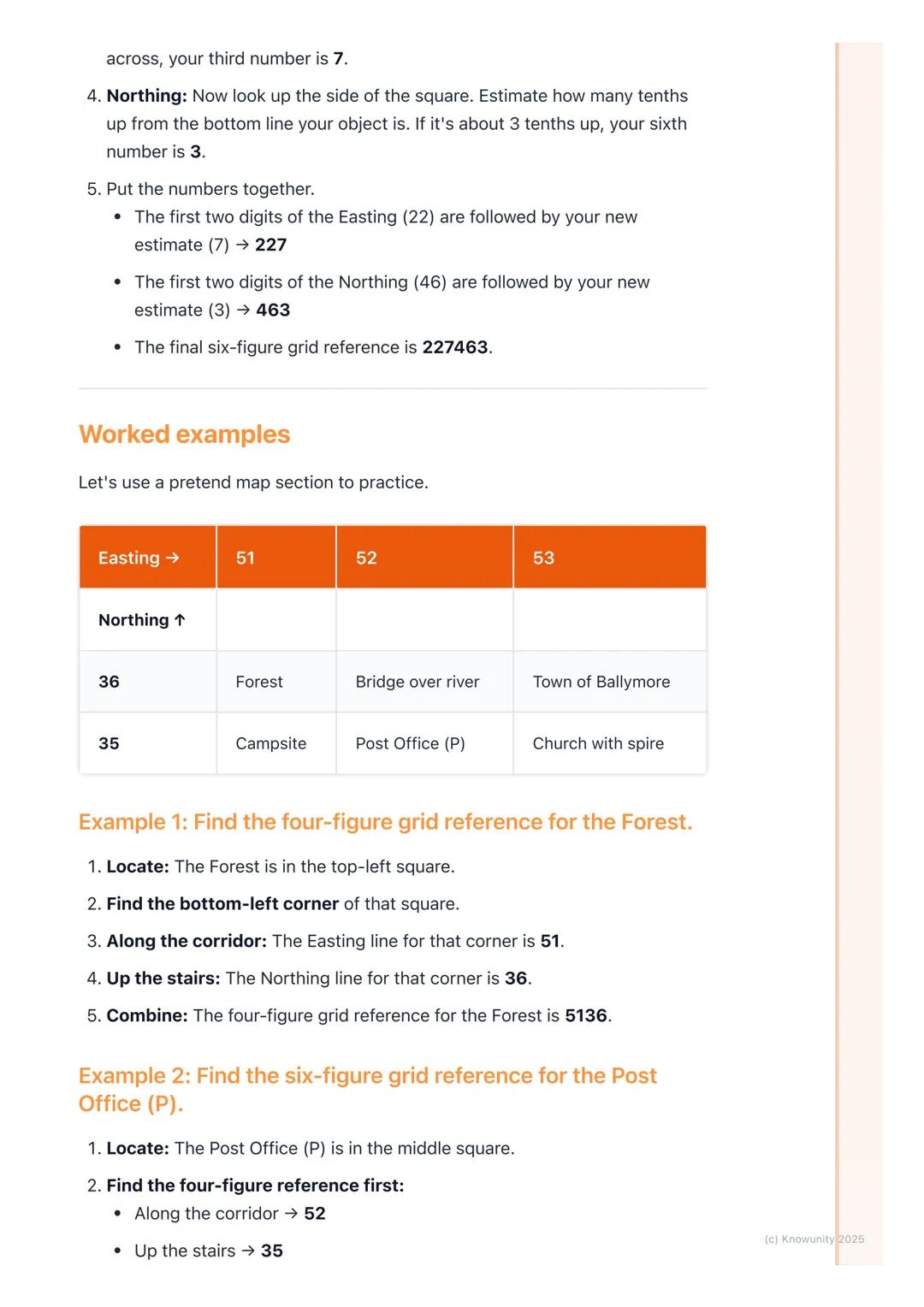
Six-Figure Grid References and Worked Examples
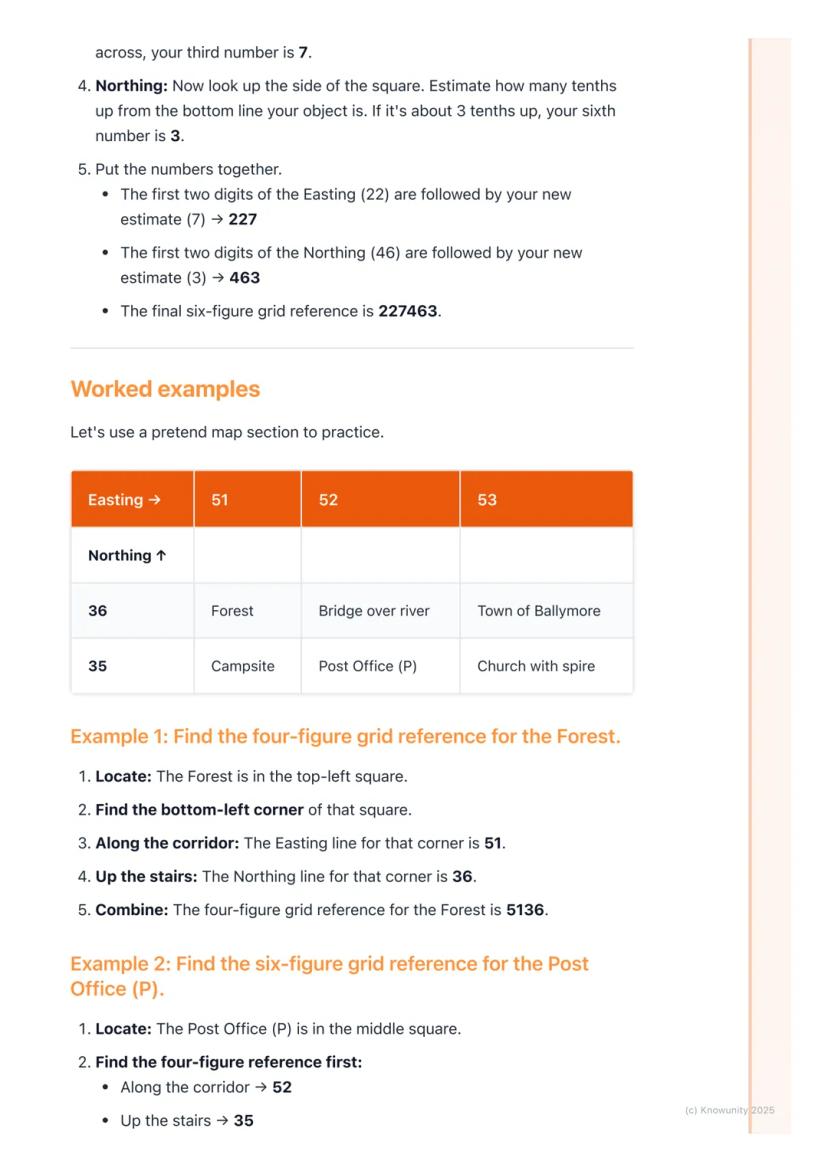
Six-figure references are like zooming in with a magnifying glass - they pinpoint exact locations within a grid square. Start with your four-figure reference, then imagine dividing that square into a 10x10 mini-grid.
For the third digit, estimate how many tenths across from the left your object sits. For the sixth digit, estimate how many tenths up from the bottom. If your original reference was 2246 and your object is 7 tenths across and 3 tenths up, you get 227463.
Let's practice with a simple example. A forest in square 5136 would have the four-figure reference 5136. But a post office sitting halfway across and quite high up in square 5235 might become 525358 as a six-figure reference.
Exam Success: Your estimates don't need to be perfect - just logical and sensible. Examiners look for understanding, not mathematical precision.
4
of 5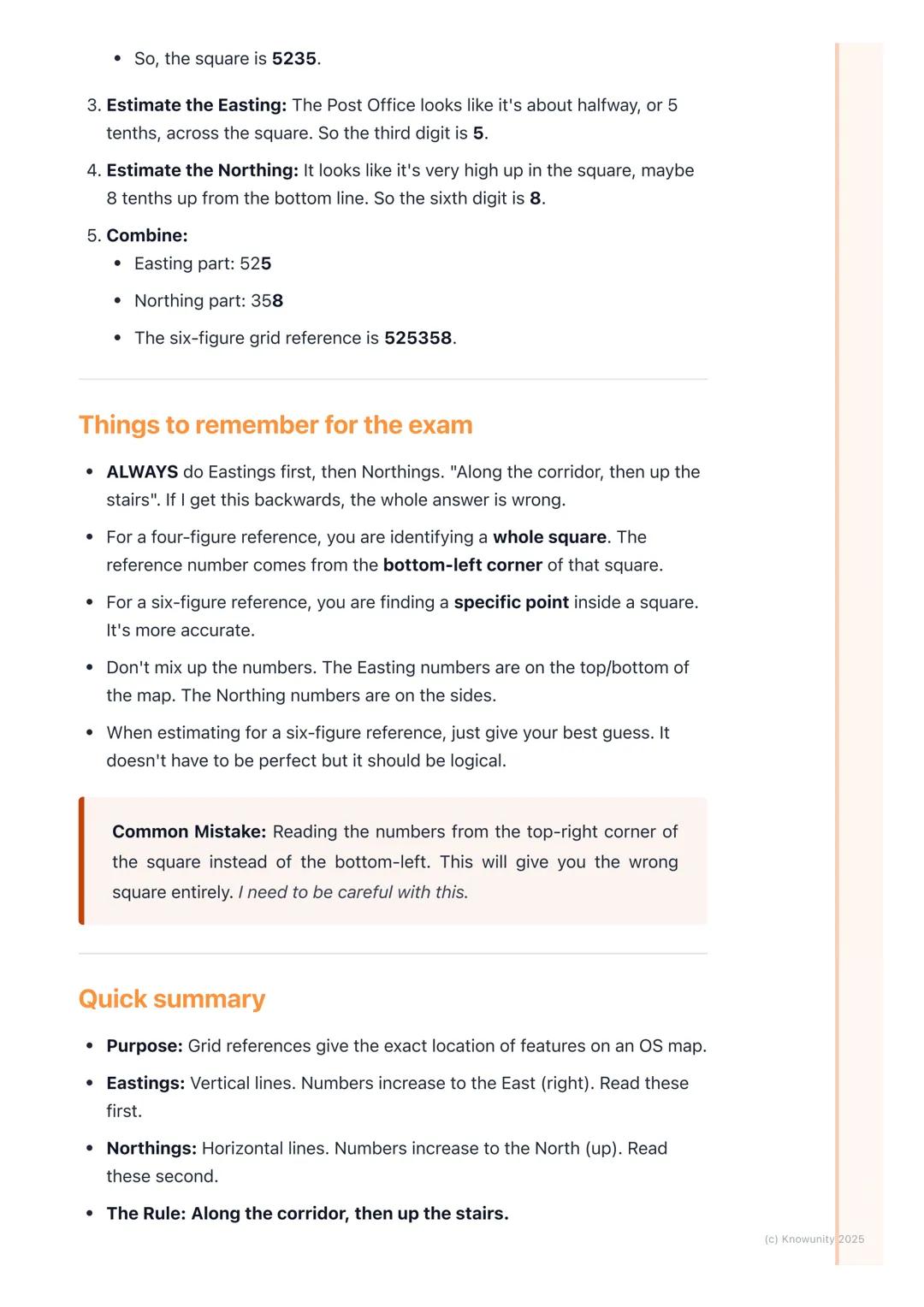
Common Mistakes and Exam Tips
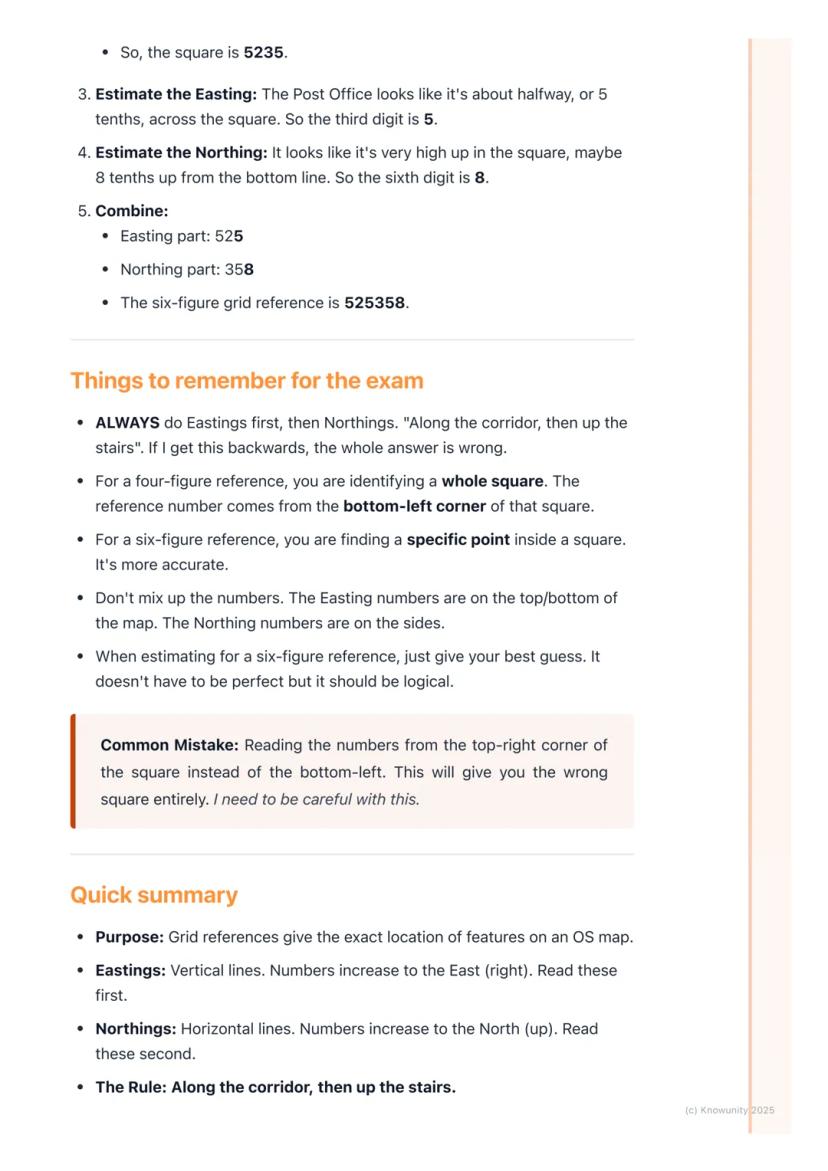
The biggest disaster students face is mixing up eastings and northings. If you read "up the stairs" first, you'll end up in completely the wrong location. Always stick to "along the corridor, then up the stairs" - eastings first, northings second.
Another classic error is using the wrong corner of the grid square. Always use the bottom-left corner for your starting point, never the top-right or any other corner. This simple mistake can shift your location by an entire kilometre.
When estimating for six-figure references, trust your judgement. If something looks about 6 tenths across, go with 6. Don't overthink it or waste precious exam time being too perfectionist about your estimates.
Warning: Double-check which edge of the map shows easting numbers versus northing numbers . Mixing these up guarantees wrong answers.
5
of 5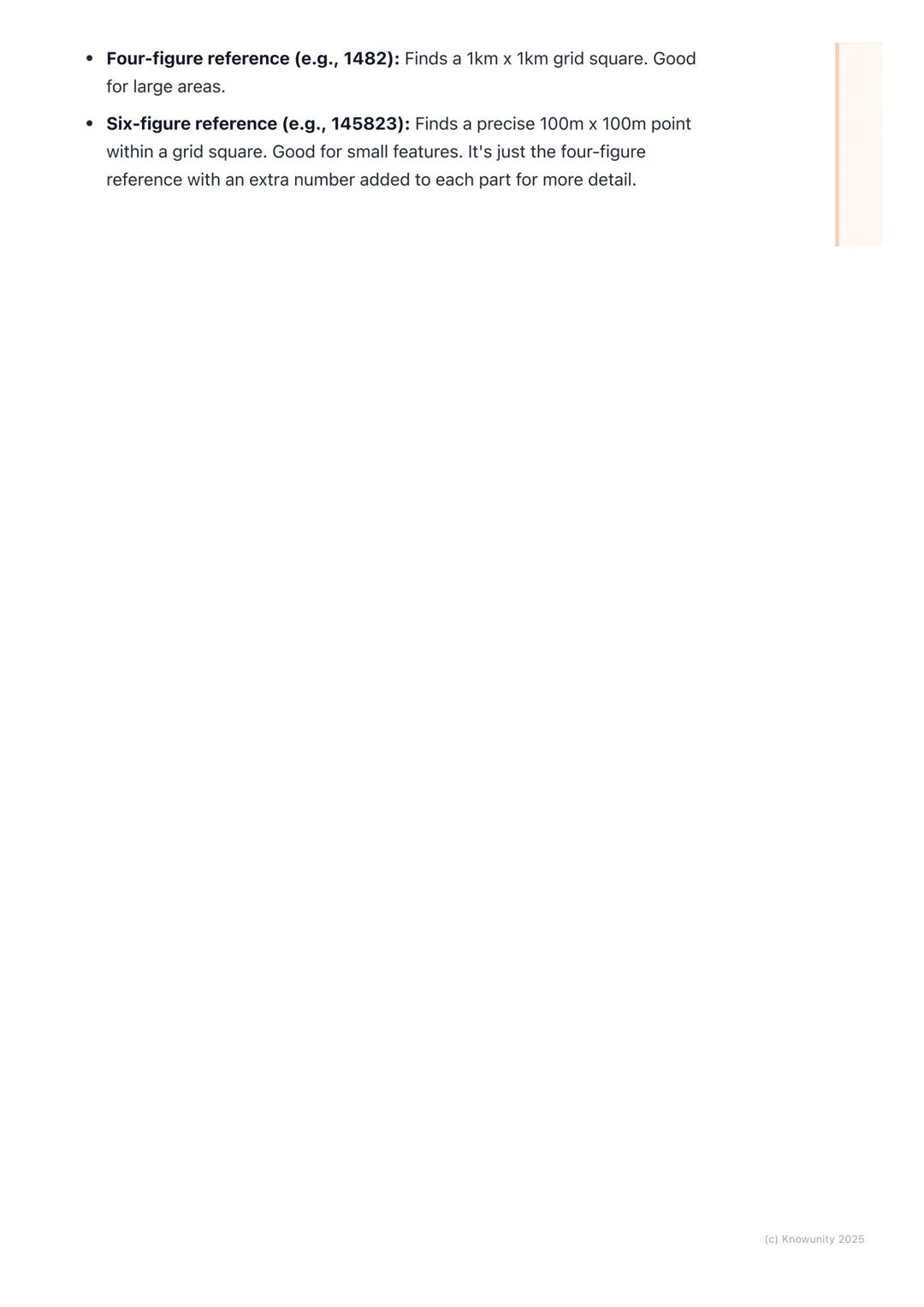
Quick Reference Summary
You now have two powerful tools in your geography toolkit. Four-figure references (like 1482) locate 1km × 1km squares - brilliant for larger features and general areas. Six-figure references (like 145823) zoom in to precise 100m × 100m points - essential for specific buildings or landmarks.
The beauty of this system is its simplicity. Every reference follows the same pattern: eastings first, northings second, always from the bottom-left corner. Whether you're planning a hiking trip or completing geography coursework, these skills make you geographically bulletproof.
Master the "along the corridor, up the stairs" rule and you'll tackle any grid reference question with confidence. Remember, it's just adding extra precision digits to make four-figure references more accurate.
Final Thought: Practice with real OS maps of areas you know - it makes the whole system click into place much faster than abstract examples.
Pensamos que nunca lo preguntarías...
¿Qué es Knowunity AI companion?
Nuestro compañero de IA está específicamente adaptado a las necesidades de los estudiantes. Basándonos en los millones de contenidos que tenemos en la plataforma, podemos dar a los estudiantes respuestas realmente significativas y relevantes. Pero no se trata solo de respuestas, el compañero también guía a los estudiantes a través de sus retos de aprendizaje diarios, con planes de aprendizaje personalizados, cuestionarios o contenidos en el chat y una personalización del 100% basada en las habilidades y el desarrollo de los estudiantes.
¿Dónde puedo descargar la app Knowunity?
Puedes descargar la app en Google Play Store y Apple App Store.
¿Knowunity es totalmente gratuito?
Sí, tienes acceso gratuito a los contenidos de la aplicación y a nuestro compañero de IA. Para desbloquear determinadas funciones de la aplicación, puedes adquirir Knowunity Pro.
Contenidos más populares de Geography
9Contenidos más populares
9¿No encuentras lo que buscas? Explora otros temas.
Mira lo que dicen nuestros usuarios. Les encanta - y a tí también.
4.6/5App Store
4.7/5Google Play
La app es muy fácil de usar y está muy bien diseñada. Hasta ahora he encontrado todo lo que estaba buscando y he podido aprender mucho de las presentaciones. Definitivamente utilizaré la aplicación para un examen de clase. Y, por supuesto, también me sirve mucho de inspiración.
Pablousuario de iOS
Esta app es realmente genial. Hay tantos apuntes de clase y ayuda [...]. Tengo problemas con matemáticas, por ejemplo, y la aplicación tiene muchas opciones de ayuda. Gracias a Knowunity, he mejorado en mates. Se la recomiendo a todo el mundo.
Elenausuaria de Android
Vaya, estoy realmente sorprendida. Acabo de probar la app porque la he visto anunciada muchas veces y me he quedado absolutamente alucinada. Esta app es LA AYUDA que quieres para el insti y, sobre todo, ofrece muchísimas cosas, como ejercicios y hojas informativas, que a mí personalmente me han sido MUY útiles.
Anausuaria de iOS
Geography13 visualizaciones·Actualizado Jun 6, 2026·5 páginasUsing Grid References on OS Maps of Ireland
Ever wondered how rescue teams find people lost in the mountains or how delivery drivers locate exact addresses? It's all about grid references- a simple but brilliant system that turns any map into a precise location finder. Once you...
1
of 5
Inscríbete para ver los apuntes. ¡Es gratis!
- Acceso a todos los documentos
- Mejora tus notas
- Únete a millones de estudiantes
Understanding Grid References and OS Maps
Think of a map as a giant game of battleships - those blue grid lines create squares that help you pinpoint any location with military precision. Ordnance Survey (OS) maps are Ireland's official detailed maps, covered in these helpful grid patterns.
The system uses two types of lines: eastings and northings . These create grid squares that act like postal codes for every spot on the map.
Here's the golden rule that'll save your skin in exams: "Along the corridor and up the stairs". Always read the easting number first, then the northing number. Get this backwards and your entire answer crashes and burns.
Top Tip: Easting numbers appear on the top and bottom edges of your map, whilst northing numbers run along the left and right sides.
2
of 5Inscríbete para ver los apuntes. ¡Es gratis!
- Acceso a todos los documentos
- Mejora tus notas
- Únete a millones de estudiantes
Four-Figure Grid References
Four-figure references help you locate entire grid squares - perfect for finding larger features like forests, villages, or campsites. Think of it as giving someone directions to your neighbourhood rather than your exact house.
The process is dead simple. Find your target object, then locate the bottom-left corner of its grid square (this bit trips up loads of students who mistakenly use other corners). Slide your finger left to hit an easting line and note that number.
From the same bottom-left corner, slide your finger down to hit a northing line. Combine these two numbers and boom - you've got your four-figure reference like 3456.
Remember: You're identifying the whole square, not a specific point within it. The reference always comes from that crucial bottom-left corner.
3
of 5Inscríbete para ver los apuntes. ¡Es gratis!
- Acceso a todos los documentos
- Mejora tus notas
- Únete a millones de estudiantes
Six-Figure Grid References and Worked Examples
Six-figure references are like zooming in with a magnifying glass - they pinpoint exact locations within a grid square. Start with your four-figure reference, then imagine dividing that square into a 10x10 mini-grid.
For the third digit, estimate how many tenths across from the left your object sits. For the sixth digit, estimate how many tenths up from the bottom. If your original reference was 2246 and your object is 7 tenths across and 3 tenths up, you get 227463.
Let's practice with a simple example. A forest in square 5136 would have the four-figure reference 5136. But a post office sitting halfway across and quite high up in square 5235 might become 525358 as a six-figure reference.
Exam Success: Your estimates don't need to be perfect - just logical and sensible. Examiners look for understanding, not mathematical precision.
4
of 5Inscríbete para ver los apuntes. ¡Es gratis!
- Acceso a todos los documentos
- Mejora tus notas
- Únete a millones de estudiantes
Common Mistakes and Exam Tips
The biggest disaster students face is mixing up eastings and northings. If you read "up the stairs" first, you'll end up in completely the wrong location. Always stick to "along the corridor, then up the stairs" - eastings first, northings second.
Another classic error is using the wrong corner of the grid square. Always use the bottom-left corner for your starting point, never the top-right or any other corner. This simple mistake can shift your location by an entire kilometre.
When estimating for six-figure references, trust your judgement. If something looks about 6 tenths across, go with 6. Don't overthink it or waste precious exam time being too perfectionist about your estimates.
Warning: Double-check which edge of the map shows easting numbers versus northing numbers . Mixing these up guarantees wrong answers.
5
of 5Inscríbete para ver los apuntes. ¡Es gratis!
- Acceso a todos los documentos
- Mejora tus notas
- Únete a millones de estudiantes
Quick Reference Summary
You now have two powerful tools in your geography toolkit. Four-figure references (like 1482) locate 1km × 1km squares - brilliant for larger features and general areas. Six-figure references (like 145823) zoom in to precise 100m × 100m points - essential for specific buildings or landmarks.
The beauty of this system is its simplicity. Every reference follows the same pattern: eastings first, northings second, always from the bottom-left corner. Whether you're planning a hiking trip or completing geography coursework, these skills make you geographically bulletproof.
Master the "along the corridor, up the stairs" rule and you'll tackle any grid reference question with confidence. Remember, it's just adding extra precision digits to make four-figure references more accurate.
Final Thought: Practice with real OS maps of areas you know - it makes the whole system click into place much faster than abstract examples.
Pensamos que nunca lo preguntarías...
¿Qué es Knowunity AI companion?
Nuestro compañero de IA está específicamente adaptado a las necesidades de los estudiantes. Basándonos en los millones de contenidos que tenemos en la plataforma, podemos dar a los estudiantes respuestas realmente significativas y relevantes. Pero no se trata solo de respuestas, el compañero también guía a los estudiantes a través de sus retos de aprendizaje diarios, con planes de aprendizaje personalizados, cuestionarios o contenidos en el chat y una personalización del 100% basada en las habilidades y el desarrollo de los estudiantes.
¿Dónde puedo descargar la app Knowunity?
Puedes descargar la app en Google Play Store y Apple App Store.
¿Knowunity es totalmente gratuito?
Sí, tienes acceso gratuito a los contenidos de la aplicación y a nuestro compañero de IA. Para desbloquear determinadas funciones de la aplicación, puedes adquirir Knowunity Pro.
Contenidos más populares de Geography
9Contenidos más populares
9¿No encuentras lo que buscas? Explora otros temas.
Mira lo que dicen nuestros usuarios. Les encanta - y a tí también.
4.6/5App Store
4.7/5Google Play
La app es muy fácil de usar y está muy bien diseñada. Hasta ahora he encontrado todo lo que estaba buscando y he podido aprender mucho de las presentaciones. Definitivamente utilizaré la aplicación para un examen de clase. Y, por supuesto, también me sirve mucho de inspiración.
Pablousuario de iOS
Esta app es realmente genial. Hay tantos apuntes de clase y ayuda [...]. Tengo problemas con matemáticas, por ejemplo, y la aplicación tiene muchas opciones de ayuda. Gracias a Knowunity, he mejorado en mates. Se la recomiendo a todo el mundo.
Elenausuaria de Android
Vaya, estoy realmente sorprendida. Acabo de probar la app porque la he visto anunciada muchas veces y me he quedado absolutamente alucinada. Esta app es LA AYUDA que quieres para el insti y, sobre todo, ofrece muchísimas cosas, como ejercicios y hojas informativas, que a mí personalmente me han sido MUY útiles.
Anausuaria de iOS